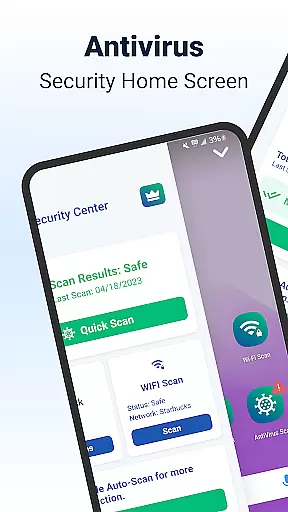
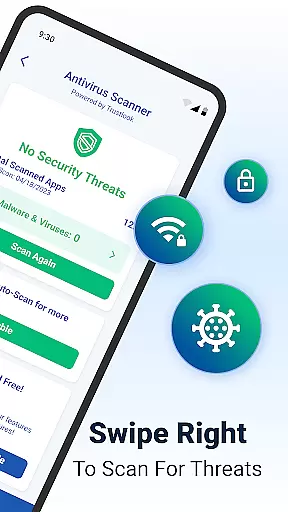
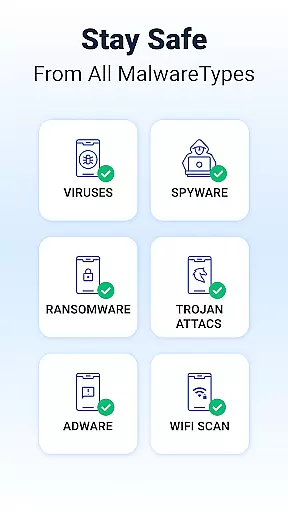
Shield is a comprehensive security solution designed specifically for Android devices, offering robust protection against viruses, malware, and various cyber threats. The app features an advanced AI-driven antivirus scanner that boasts a 99% detection rate with minimal false positives, ensuring your device remains safe without unnecessary interruptions.
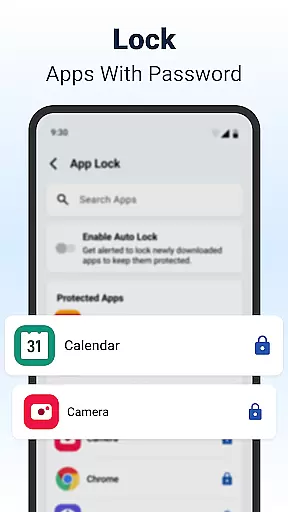
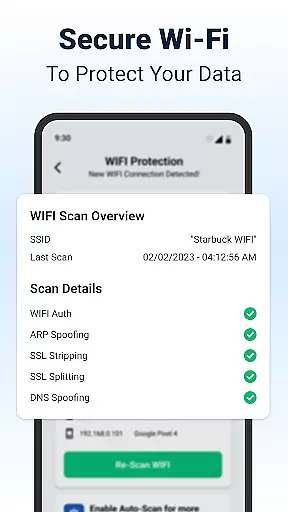
In addition to its core antivirus capabilities, Shield provides essential privacy tools such as AppLock, which allows users to secure sensitive applications using passwords or biometric authentication like fingerprints. It also includes WiFi scanning functionalities to safeguard your data on public networks by detecting potential network-based attacks. With customizable settings and an enhanced home screen interface, Shield combines powerful security measures with user-friendly personalization options.
This application is particularly useful for individuals who frequently use public WiFi networks or wish to protect their personal information from unauthorized access. By integrating multiple layers of security with intuitive controls, Shield delivers peace of mind while maintaining the flexibility to tailor the experience according to individual preferences.
Shield stands out with its array of sophisticated features designed to provide top-tier protection for Android users. One of the key highlights is the high-accuracy AI-driven antivirus scanner, which actively identifies and neutralizes malware, spyware, and other risks in seconds. This feature ensures that your device remains protected without compromising performance or usability.
Beyond antivirus capabilities, Shield offers AppLock functionality, allowing you to secure sensitive apps with either a password or fingerprint. Additional privacy tools include app hiding and secure WiFi scanning, which work together to ensure your private information stays safe even when connected to public networks. The WiFi Scanner detects network-based attacks such as ARP spoofing, DNS spoofing, and SSL stripping, providing an extra layer of security.
Another notable aspect is the ability to customize your experience through personalized lock screens and app settings. Shield's home screen transformation enhances visual appeal while offering intuitive privacy controls tailored to your needs. Whether you're looking for basic protection or advanced security features, Shield has something for everyone, making it a versatile choice for safeguarding your digital life.
Customization is at the heart of Shield Antivirus Home Screen, offering users a versatile way to personalize their Android devices. This feature allows you to modify your home screen with intuitive privacy controls and custom settings, ensuring that your device not only looks good but also aligns with your security needs.
The app provides extensive customization options, including personalized lock screens and app settings. You can tailor the appearance and functionality of your Android to suit your preferences, making it truly yours. Whether it's adjusting the layout or choosing specific privacy features, Shield ensures that security doesn't compromise style.
With Shield's customization capabilities, users can enjoy both aesthetic appeal and robust protection. The ability to personalize enhances user engagement and satisfaction, as it caters to individual tastes while maintaining high-security standards. This dual focus on design and safety sets Shield apart from other personalization apps.
Shield Antivirus Home Screen excels in theme compatibility, allowing users to apply various themes without compromising the app's functionality. This ensures that regardless of the visual style you choose, all security features remain fully operational and effective.
The app supports a wide range of themes, giving users the freedom to select designs that resonate with their personal aesthetics. Whether you prefer minimalist layouts or vibrant, detailed interfaces, Shield adapts seamlessly to provide a consistent and visually pleasing experience.
This level of theme compatibility enhances user satisfaction by providing flexibility in how the interface looks and feels. By integrating comprehensive security features within customizable themes, Shield guarantees that users do not have to sacrifice usability or visual appeal for protection, thus delivering a balanced and engaging user experience.
Powerful antivirus engine
User-friendly interface
Comprehensive WiFi security
Customizable privacy settings
Free essential features
Limited free version
Occasional ads in free tier
Advanced features require subscription
Resource-intensive scans
Interface may overwhelm beginners

Unique Android Launcher
 4.60
4.60
Shimeji adds cute animated characters to your screen, lively and fun.
4.70
Over 28,000 high quality icons to bring color & homogeneity to your phone.
4.60
Embrace the Night. Unleash the power of darkness with Raven Dark Icon Pack
4.60
Crystal-clear, square icon provides a sleek and sophisticated visual upgrade
4.00
300+ Stunning and well-designed widgets inspired by NOTHING.
4.70
Transform your device in a game console
4.40
350+ widgets with a premium glass-style finish, perfect for home & lock screens.
4.70
Transform your phone with stunning video wallpapers and a unique, personal touch
3.80
100+ Stylish Fonts, Emojis, Symbols keyboard for Instagram & TikTok!
4.80
Customizable Glass widgets. Over 360+ stunning widgets and more!
4.70
Glass style colourful icons with a One UI look and feel
4.60
Handcrafted pixel art icons, widgets & wallpapers
4.60
Yandex Browser — stylish and secure, with voice search and data compression
4.40
Unleash Your Creativity and Connect with Loved Ones with Lockscreen Drawing!
4.20
Customizable flower power digital watch face for Wear OS watches.
4.00
Ultimate widget creator. Design custom widgets for a truly unique home screen!
3.90
Your go to Weather App & Home Screen. Get your weather at a swipe of a finger!
3.80
Custom edge gestures for volume control, brightness, apps, and shortcuts.
4.0



User Reviews