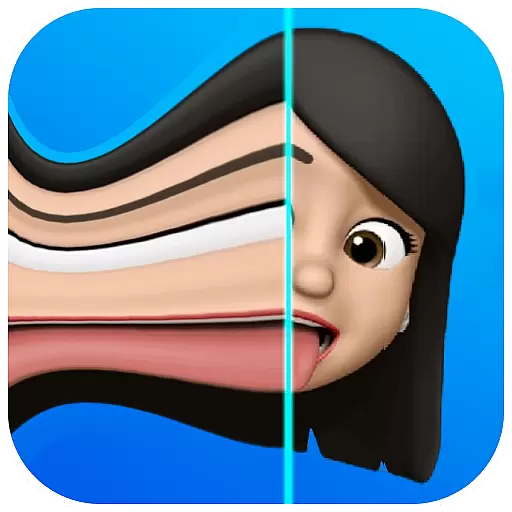
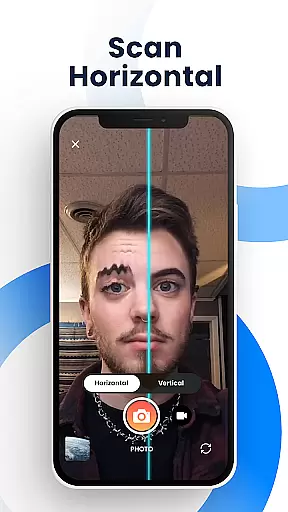
Time Warp Scan - Face Scanner is an innovative photography app that brings the popular TikTok TIME WARP SCAN effect to your fingertips. This free application allows users to create unique, funny, and artistic photos and videos using its signature warp scan feature. The app's core functionality lies in its ability to 'freeze' images as the virtual blue line passes over faces or objects, creating visually striking transformations.
The application stands out with its customizable features, including adjustable scan direction (vertical or horizontal) and variable blue line speed. These controls give users creative freedom to produce modern art-style images and experiment with different visual effects. Whether you want to lengthen fingers, reshape heads, or create surreal body transformations, Time Warp Scan makes it possible through its advanced slit-scan technology.
This app is particularly valuable for social media enthusiasts and content creators who want to produce engaging, viral-worthy content for platforms like TikTok, Instagram, and Snapchat. Its professional-grade features, including watermark-free saving and various brightness adjustment options, make it suitable for both casual entertainment and more serious creative projects.
Time Warp Scan offers an impressive array of features that cater to both casual users and creative professionals. The app's most distinctive capability is its time warp effect, which transforms faces and objects into unique shapes as the virtual scan bar moves across the frame. This effect can be precisely controlled through adjustable blue line speed settings, allowing users to customize the intensity and style of their transformations.
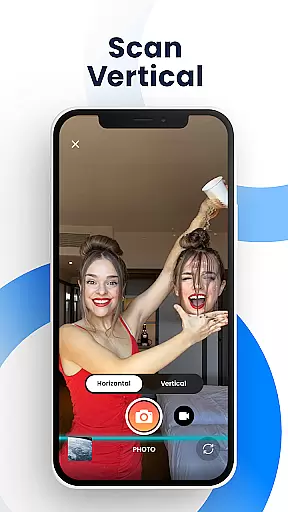
The application provides comprehensive creative tools, including dual scan direction options (left-to-right or top-to-bottom), brightness adjustment features, and precise control over the transformation process. Users can experiment with various artistic effects, from subtle facial modifications to dramatic body transformations. The app's slit-scan technology enables sophisticated image manipulation, allowing users to create everything from mildly amusing selfies to complex modern art pieces.
Additional notable features include seamless integration with major social media platforms, enabling easy sharing of creations across TikTok, Instagram, Facebook, and other networks. The app maintains high-quality output without watermarks, ensuring professional-looking results. Its user-friendly interface combines with these powerful features to create a versatile tool for digital content creation, making it equally suitable for quick entertaining posts or more elaborate artistic projects.
Real-time capture and preview functionality is essential for photography apps like Time Warp Scan - Face Scanner. This feature allows users to see the effects applied to their photos or videos instantly as they are being captured.
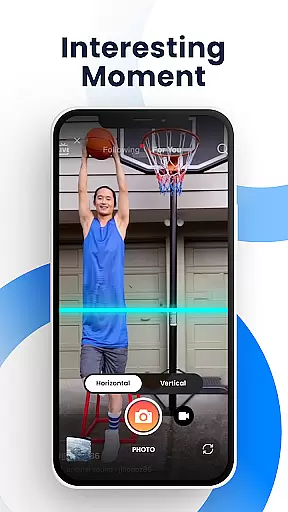
The app provides a unique time warp scan effect that lets users create funny and interesting images by freezing parts of the frame with a 'blue line' while the rest remains in motion. Users can adjust this blue line vertically or horizontally, offering creative control over how the final image will look.
With real-time preview capabilities, users can experiment with different settings such as brightness and scan direction before capturing their photo or video. This ensures that the outcome matches their expectations without any post-processing delays.
By delivering immediate visual feedback during content creation, Time Warp Scan enhances user engagement and satisfaction, making it an ideal tool for creating viral social media challenges and sharing them across platforms like TikTok, Snapchat, and Instagram.
AI beauty and enhancement features have become increasingly popular in photography applications, aiming to improve images naturally without compromising authenticity. Time Warp Scan - Face Scanner offers various effects that alter appearances creatively yet maintain a natural feel.
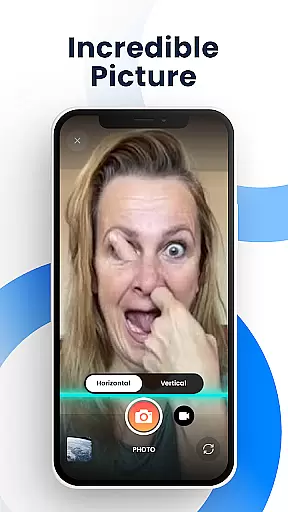
This application includes options to change the shape of facial features, elongate fingers, or even simulate short haircuts using its innovative slit-scan technology. These transformations occur dynamically as the 'scan bar' moves across the face, allowing users to craft personalized and amusing visuals.
While not traditional beautification tools, these filters enhance photos by adding artistic flair rather than simply smoothing skin or enlarging eyes. The result is playful content that stands out on social media feeds while still reflecting genuine human characteristics.
Time Warp Scan's approach to AI enhancement prioritizes creativity and fun, ensuring that altered images remain recognizable and true-to-lifeu2014a balance crucial for maintaining viewer trust when sharing edited media online.
User-friendly interface
Highly customizable effects
Watermark-free saving
Multiple social sharing options
Creative freedom with adjustments
May drain device battery
Requires learning curve
Some features may glitch
Processing time for effects
Free version limitations

Professional video recording application with manual controls for filmmakers!
 2.80
2.80
Superimpose one photo on top of another using the original Superimpose app!
3.20
A must-have app for landscape photographers
4.60
Easily view, share, delete photos with Gallery.
4.70
Pro version: AR sun/moon tracker for any date. Tool for photographers & planners
4.90
RAW video capture with advanced controls
4.40
Discover & download millions of art for The Frame TV or Hisense CanvasTV
4.60
A unique animation app. Powerful, easy to use, and lots of fun.
4.30
Discover How to Plan any Sun, Moon and Milky Way Photo You Imagine in Seconds
4.70
Android Native system HD camera app. Never been so simple and faster.
4.70
Create Business Headshots, Polaroid Filter, Retake Photos,Profile Pics,AI Photos
4.50
Fit multiple photos on one post. Create carousels & scroll layouts for Instagram
4.50
Effortlessly organize, view and share your photos & videos with Gallery app!
4.40
Edit like a pro with Hypic. Apply filters, AI effects, & magic touch.
4.40
Luminar: Photo Editor - easy picture editing with AI
4.20
A light meter for true photographers.
4.20
Create & Edit with AI: AI Remove, Enhance, Retouch, Filter
4.10
Over 800 film simulation recipes for Fujifilm. Black Friday Offer!
4.4
Snap photos remotely using your Garmin watch as the camera trigger
4.5





User Reviews