
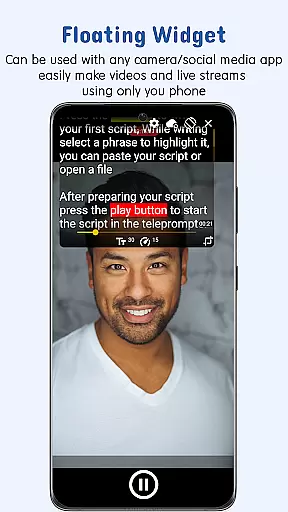
Nano Teleprompter is a versatile productivity tool designed to streamline the process of script management and delivery for content creators, public speakers, and professionals. The app offers an intuitive floating widget that works seamlessly with any camera app, allowing users to record videos or deliver speeches without losing sight of their scripts. Its powerful Google Drive integration enables real-time syncing, making it easy to create, edit, and manage scripts directly from the cloud.
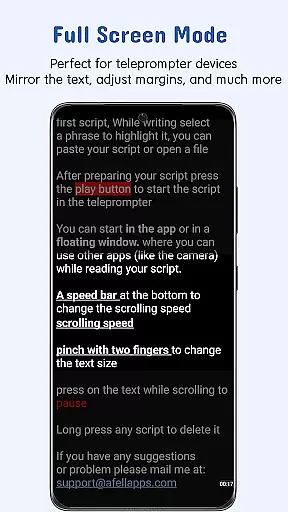
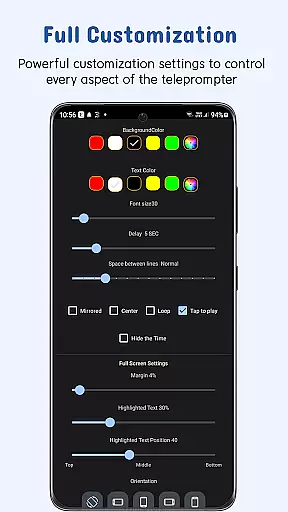
With customizable text options, gesture controls, and adjustable scroll delay, Nano Teleprompter ensures maximum flexibility and readability. Whether you're live streaming, recording, or presenting, this app provides a smooth teleprompting experience while maintaining complete control over your script. It also supports remote control functionality, quick script access, and cross-device syncing, making it an indispensable tool for modern professionals.
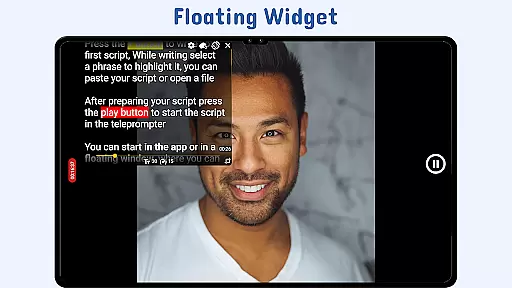
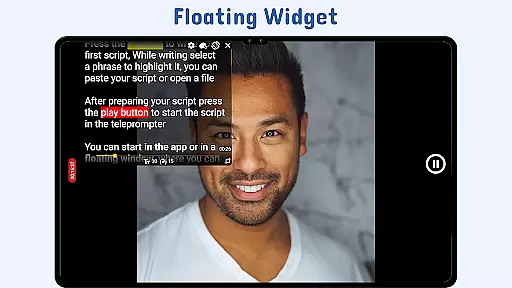
Nano Teleprompter stands out with its robust feature set tailored to enhance productivity. One of its key highlights is the floating teleprompter widget, which can be resized and moved freely across the screen. This allows users to position their scripts precisely where needed, whether in landscape or portrait mode, ensuring uninterrupted recording or presentation sessions.
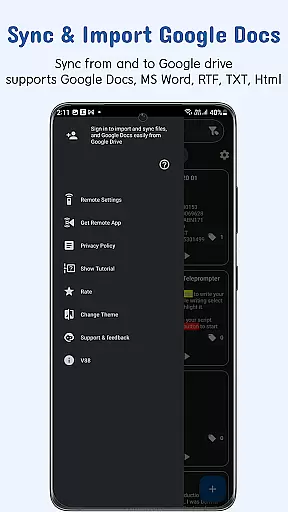
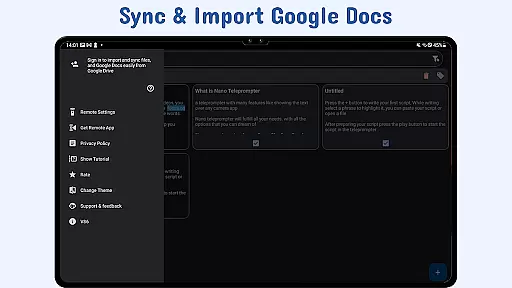
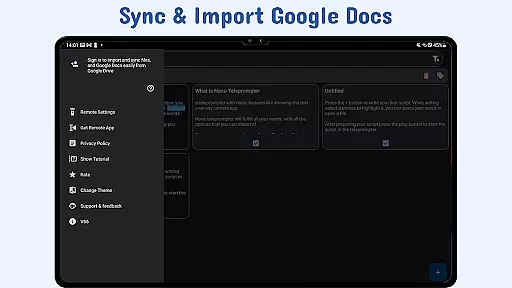
The app's real-time Google Drive sync is another standout feature, enabling users to work on their scripts from any device while automatically updating changes. With support for multiple file formats like Google Docs, MS Word, RTF, TXT, and HTML, it caters to diverse user preferences. Additionally, customizable text and background settings, gesture-based controls, and remote customization options provide users with a personalized and hands-free experience, setting Nano Teleprompter apart from other teleprompter apps.
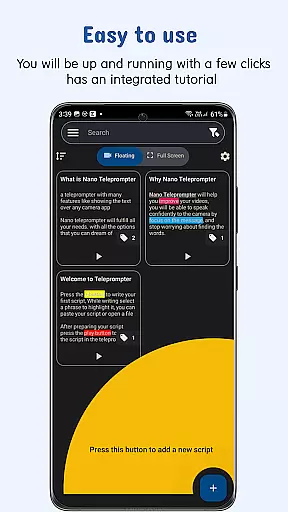
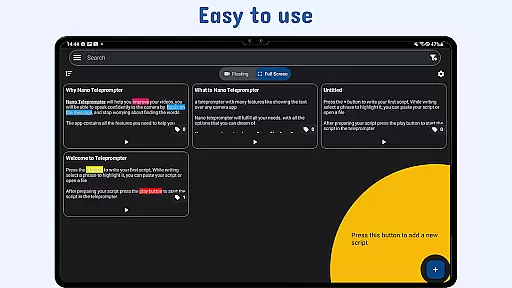
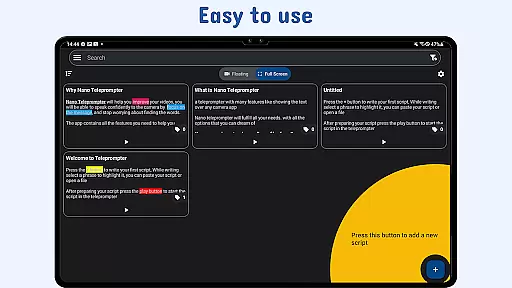
At the heart of Nano Teleprompter lies its robust core task management system, designed to streamline your workflow. This feature allows users to create, edit, and manage scripts directly through an intuitive interface or via seamless Google Drive integration.
The app automatically syncs any changes made in Google Drive, ensuring that your scripts are always up-to-date. Whether you're working on a script from your PC or mobile device, Nano Teleprompter keeps everything in check without missing a beat.
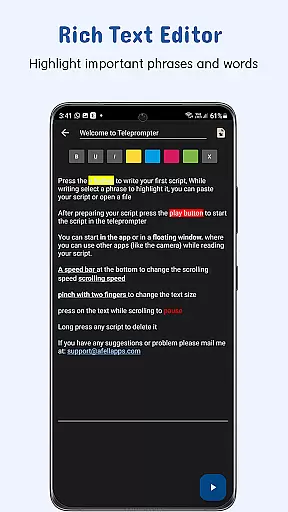
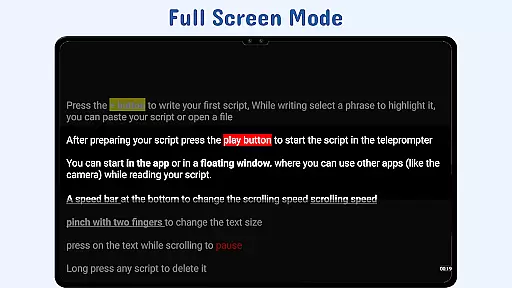
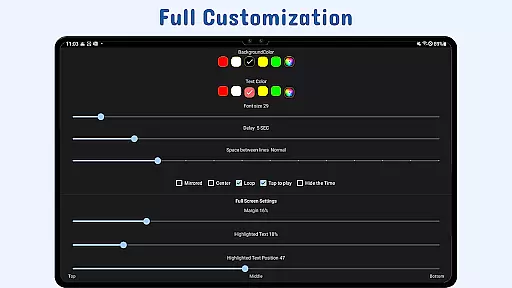
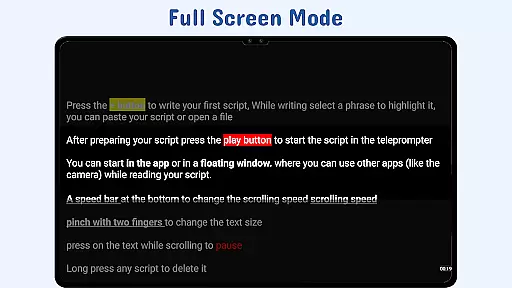
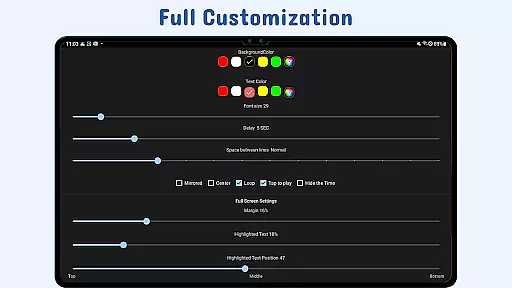
With customizable text options such as size, color, and background opacity, users can tailor their reading experience for optimal clarity and focus. This attention to detail enhances readability and helps maintain concentration while delivering speeches or recording content.
Nano Teleprompter excels in cross-device synchronization reliability, offering real-time cloud syncing that ensures your scripts are backed up and accessible across multiple devices. Through its integration with Google Drive, every change is automatically updated, providing peace of mind and continuity no matter where you are.
This reliable sync capability means that whether you start editing a script on your phone during a commute and then switch to a tablet or computer at home, all updates will be reflected instantly. Such flexibility supports dynamic work environments and modern multitasking needs.
Moreover, the ability to open text files directly from the file explorer or share them from other apps adds another layer of convenience. Users can access their scripts anytime, anywhere, making Nano Teleprompter an indispensable tool for professionals who require consistent access to their materials without interruption.
User-friendly interface
Real-time cloud syncing
Customizable text options
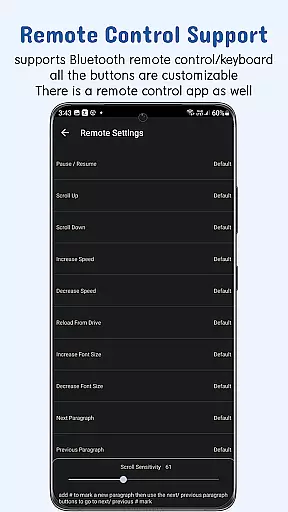
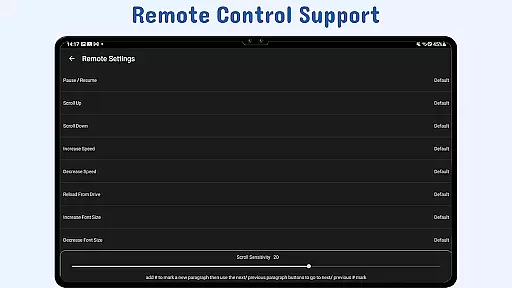
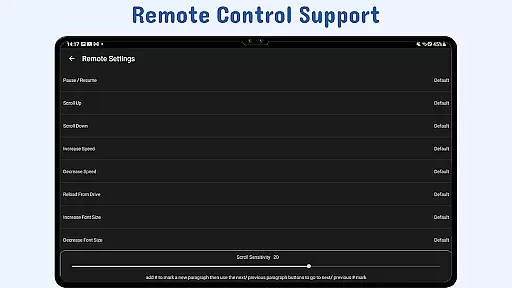
Remote control support
Cross-device compatibility
Limited offline functionality
Premium features locked behind paywall
Requires stable internet for syncing
Occasional widget lag
Learning curve for advanced features

 4.20
4.20
Secure, fast, open-source, VNC and SSH Remote Desktop for Windows, Linux and Mac
4.70
Seamlessly integrate data and reports to build your presentation to impress
4.80
Easily read and manage all your PDF files
4.10
Remotely view listen control and record cameras.
3.70
All document reader, all in one file viewer read PDF, DOCX, XLS, PPT, TXT files.
4.60
Code on-the-go with VScode for Android. Edit,debug and collaborate from mobile!!
3.10
* block pre-roll ads, pop-up and forced redirect ads * Samsung certification app
4.00
AT&T Internet customers can use this app to personalize their Wi-Fi network.
4.40
Scan paperwork into PDF/JPG, generate your own e-signature and send fax or email
4.70
Functional QR scanner and barcode reader that requires little storage space.
4.60
Secure your apps with lock screens, use custom themes and different features.
4.40
Automates browsing any website and notifies you of important changes or events
4.30
Device's storage information in a simple and clear graphical form (infographics)
4.10
Font maker keyboard with your own handwriting
4.10
Cloud storage, automatic phone backup, and more.
4.10
Wake up & get tasks done! Add alarms & reminders on the Clock Launcher.
4.00
A Revolutionary All-in-One Artificial Intelligence Tools
3.80
Create study competitions, track your hours, and stay consistent with friends
4.3



User Reviews